Blog

  • Review: Why Army of Two (360) Sucks

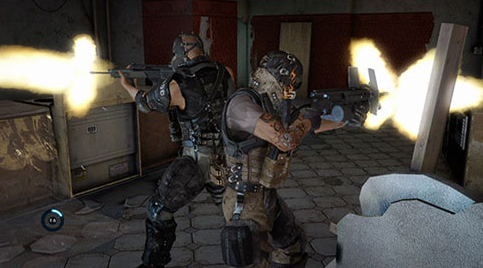
    aot.pngThe overall aiming mechanic is *very* poor. I don’t expect PC-level ease, but at least something on par with the Tom Clancy games is necessary to make a console shooter fun. Both me and my buddy commented on this suckage right from the start. AoT also suffers from poor pacing. Remember how in Serious Sam they would spawn an insane amount of identical enemies in a large space and you’d fight them off for, like, 15 minutes? Yeah… expect some of that. On the plus side, after you clear an area you’ll be treated with the gong sound ripped straight off the Gears of War disc. (Now that you have your GoW disc out, why not put it in the drive instead?)

    In single player mode, your AI buddy has a severe learning disability. He doesn’t make great decisions on when/where to heal you, or even where to drag you. When told to advance aggressively, he’ll pretty much clean house while you check your iPhone email. Using the aggro meter to a planned strategic advantage is pretty much impossible. Update: That’s really only true in the easy mode or easier parts. In certain difficult sections–especially in the hardest mode–closely controlling aggro for your AI buddy is necessary and useful.

    Multi-player campaign co-op fairs only slightly better. All the special BFF moves you saw in the trailer can only be done at specific, pre-defined points along IKEA-like map paths. “Step jump” is a completely useless gimick which contributes nothing to the game except to serve as a trigger to spawn baddies. The team skydiving thing is… retarded. So one person snipes from the air. Cool.. except the other person “steers”. That’s… great. Co-op sniping on the ground is also worthless. The Max Payne-esque back-to-back mode would be awesome if you could choose when/where to do it, but you can’t… sooooo, lamX0r.Overkill, feign death, weapon upgrading and the aggro meter are actually useful strategic elements. The placement of large gun turrets throughout the game was clearly done to force teamwork and render any Leroy Jenkins types useless. Periodic encounters with enemies that can only be damaged from behind also provide a clever way of leveraging the aggro system. Unfortunately, you always use the same basic strategy of “I’ll fire at his shield to draw aggro while you walk up to him and shoot him in the butt.” The repetition gets old fast.

    Oh, and I swear if I see one more BFF door opening cutscene I’m eating my controller and letting my stomach acid play the game for me. You opened a door together for the 30th time! YAY TEAM!!!

    Conclusion: Rent only if you’re planning on playing with a friend. Otherwise continue getting your fix with GRAW2, RS: Vegas or Gears of War.

  • Debugging JavaScript With Safari

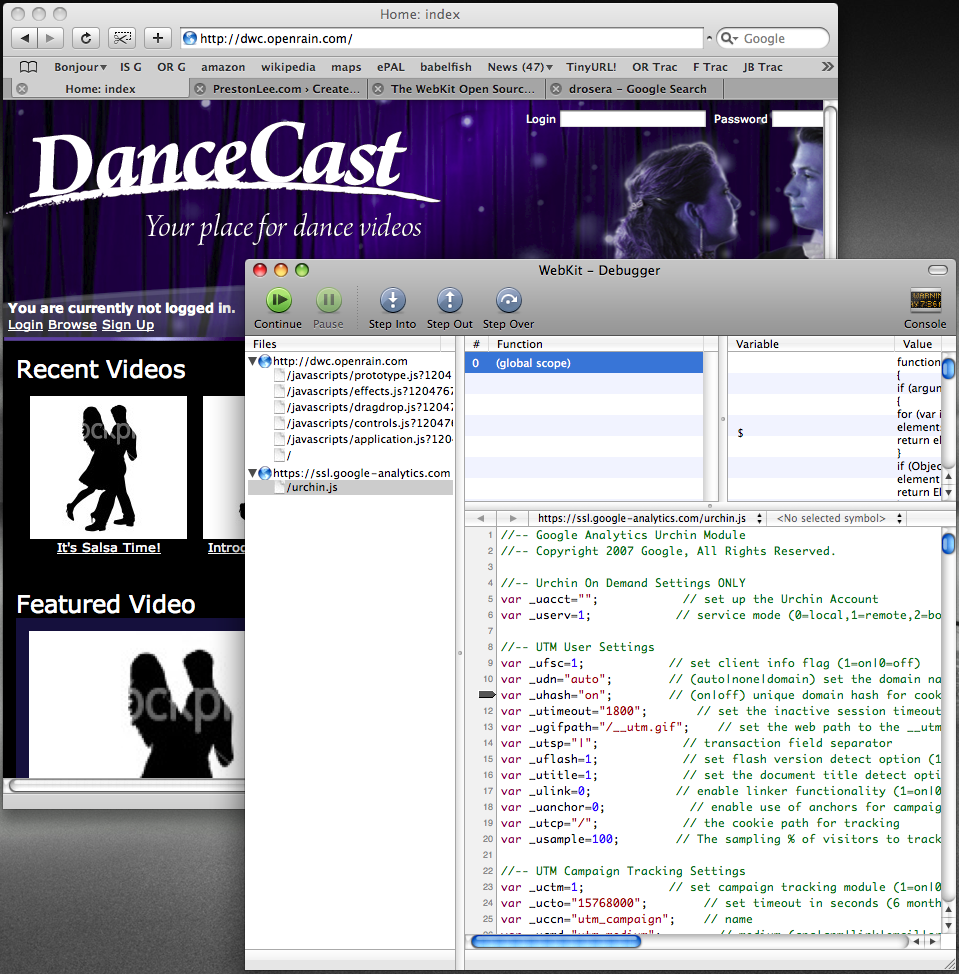
    I usually use FireBug and other FireFox-based tools for troubleshooting JavaScript issues, but never found a solid way to approach it in Safari, my primary browser. It turns out that the nightly builds of WebKit (Safari’s core) also come with a great utility called Drosera.app, which allows you to attach to a running WebKit process and get funky with a JavaScript console.

    w00t l00ps! drosera.png

  • Marc Chung on Amazon Web Services

    marc.png

    Mad props to fellow OpenRain’r Marc Chung for an excellent AWS presentation at this months Phoenix Rails meeting. Follow-up links..

    Great job, Marc!

  • Rails 2.0: selenium-on-rails routes.rb fix

    When I updated a few projects to Rails 2.0 last year, selenium-on-rails stopped working … some issue with routing and the lame way selenium-on-rails adds its routes. I didn’t spend the time to figure out exactly what the routing problem was, but did manage to hack a quick fix into routes.rb. This feels like the Wrong Way for an ultimate fix but it at least solves the immediate problem. Shove these rules into your routes.rb and the /selenium path should start resolving again…

    (more…)

  • Mac Users: Buy This Now

    https://www.macheist.com/buy/invite/94211

    macheist.png

    The latest MacHeist bundle: $50 for 12 apps, the most notable being Pixelmator, CSSEdit and Snapz Pro X. I picked up the 3-pack bundle for $100 and a total of 36 license key. 4 days left. w00ties!

  • Welcomed To The RRoD Club, Part 2

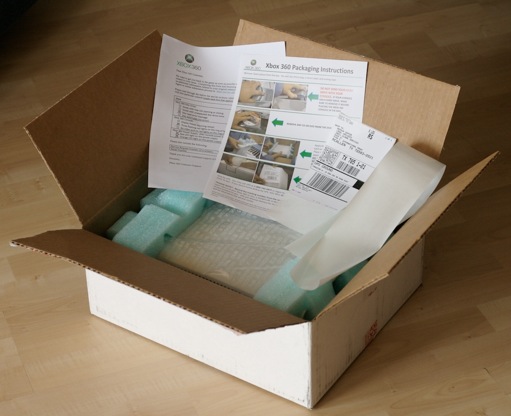
    The RRoD 360 repair process has been straightforward so far. (After all, Microsoft has certainly had an ample volume of opportunities to improve it.) The online repair form was straightforward, and my empty pre-paid shipping box arrived yesterday._mg_9894.jpg

    Everything needed to package the console for return was included: a plastic bag for the console, padded foam, large strip of packaging tape, shipping label, small form (in English and Spanish) and clearly written photographic instructions. Paying for door pickup would have been nice, but that’s not a big deal. I’m off to drop it off at UPS right now.

  • Writing Good Error Messages

    I received this little note from my Mac today.

    mac_low_battery_warning.png

    This made me feel all warm and fuzzy inside despite the interruption of my work because it satisfies my general criteria for displaying error messages to users.

    1. A graphical severity indicator is given so I know whether or not to care.
    2. It provides a succinct, human-readable desciption of the issue. (No “ERROR CODE: 23DD8” crap which is meaningless to the user.)
    3. An immediate, resolvable course of action is given to the user. Providing this makes the user feel empowered and accomplished for acting. Neglecting this makes the user concerned and irritated.
    4. A description of future symptoms is given for when/if the user does not take the suggested course of action. This gives the user reason to do what you’re asking.
    5. It shut up about the issue when I clicked OK and let the failure happen like it told me it would. When I noticed my mouse wasn’t responding I immediately remembered why.

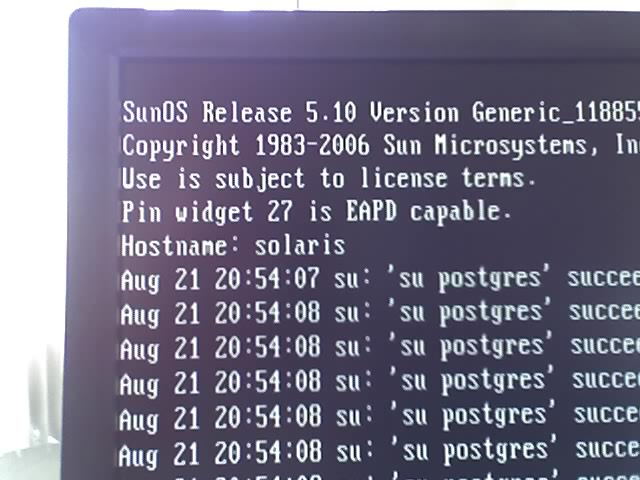
    The dialog is in stark contrast to this nifty gem constantly pooping out of my Solaris kernel..08-21-07_1354.jpg

    “Pin widgit 27 is EAPD capable.”

    WTF??? What the heck is a “pin widgit” and why do I care if it’s “EAPD capable”? Is this even a bad thing? Do I need to do something here? What happens if I ignore this, which I most definitely will since I have clue what it’s talking about? Why does it tell me this every time I start the machine?

    Criteria failure on all counts. Bad computer!

  • Request For Invention: Ultimate Skype Conference Phone

    Attention IPEVO: Go ahead and bill me for one of these Skype conference phones as soon as you meet this feature set.

    • Clear voice quality with good range and crosstalk reduction. (Duh.) At least as good as that popular Polycom model everyone uses.
    • Color LCD and interface like the SOLO, but with a few conferencing features. (Actually, go ahead and add those conferencing features to the solo as well. It needs some! If Skype doesn’t allow for this, I’ll pay a minimal monthly fee for a 3rd party integration.)
    • Bluetooth pairable with OS X, with a tolerable amount of latency when used wirelessly. No special drivers must be used for this.
    • Ethernet port (and LAN pass-through) just like the SOLO for computer-free operation.
    • USB port for wired laptop operation. Special drivers are OK here, but I don’t want to have to run some special app in the forground to use basic features.
    • Optional: Power-over-ethernet operation. Add $20 for this feature.
    • Optional: Clustered operation. Add $20 for this feature.
    • Optional: Network discovery and AirTunes support. Add $20 for this feature.
    • Optional: Gigabit ethernet with four extra switch ports. Add $40 for this feature.

    You may charge me up to $250 for one unit (plus extras), which includes all cables neatly packagable in a box that can be used for transport. Thanks!

  • Back To Business School

    I started MBA 590 tonight; the next stepping stone to my next degree, which I should complete at University of Phoenix early next year. Considering I couldn’t even start on the coursework until 9PM, it’s going to be a busy year. 😐