Blog

  • Apple Says Sorry For MobileMe Boo-Boos

    If you’re an existing .Mac user, you may have noticed the new MobileMe services sucking a lot since the iPhone 3G launch. Apple will be “..giving all current subscribers an automatic 30-day extension to their MobileMe subscription free of charge.” Full email text..

    MobileMe Services Now Available.

    We have recently completed the transition from .Mac to MobileMe. Unfortunately, it was a lot rockier than we had hoped.

    Although core services such as Mail, iDisk, Sync, Back to My Mac, and Gallery went relatively smoothly, the new MobileMe web applications had lots of problems initially. Fortunately we have worked through those problems and the web apps are now up and running.

    Another snag we have run into is our use of the word “push” in describing everything under the MobileMe umbrella. While all email, contact or calendar changes on the iPhone and the web apps are immediately synced to and from the MobileMe “cloud,” changes made on a PC or Mac take up to 15 minutes to sync with the cloud and your other devices. So even though things are indeed instantly pushed to and from your iPhone and the web apps today, we are going to stop using the word “push” until it is near-instant on PCs and Macs, too.

    We want to apologize to our loyal customers and express our appreciation for their patience by giving all current subscribers an automatic 30-day extension to their MobileMe subscription free of charge. Your extension will be reflected in your account settings within the next few weeks.

    We hope you enjoy your new suite of web applications at me.com, in addition to keeping your iPhone and iPod touch wirelessly in sync with these new web applications and your Mac or PC.

    Thank you,

    The MobileMe Team

  • My iPhone 2.0 Upgrade Not Reactivating

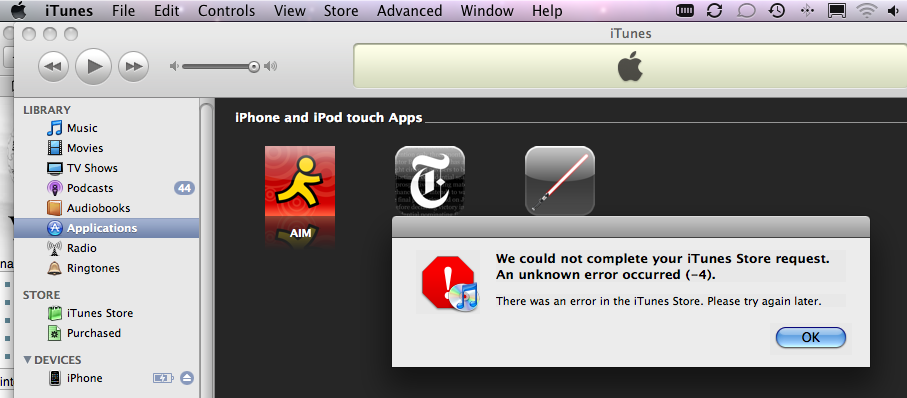
    It seems like there’s some sort of service outages with the iTunes store related to users upgrading to the iPhone 2.0 firmware. The firmware download and upgrade process seems to have upgrade fine, but mine is stuck on the please-connect-to-itunes screen. All I can do right now is view the IMEI and ICCID, and make emergency calls.

    Update: After 4 continuous hours of having it plugged in, it finally reactivated and synced. PITA, but the new apps are hot!!!

  • Virtual OS X Server Screenshots

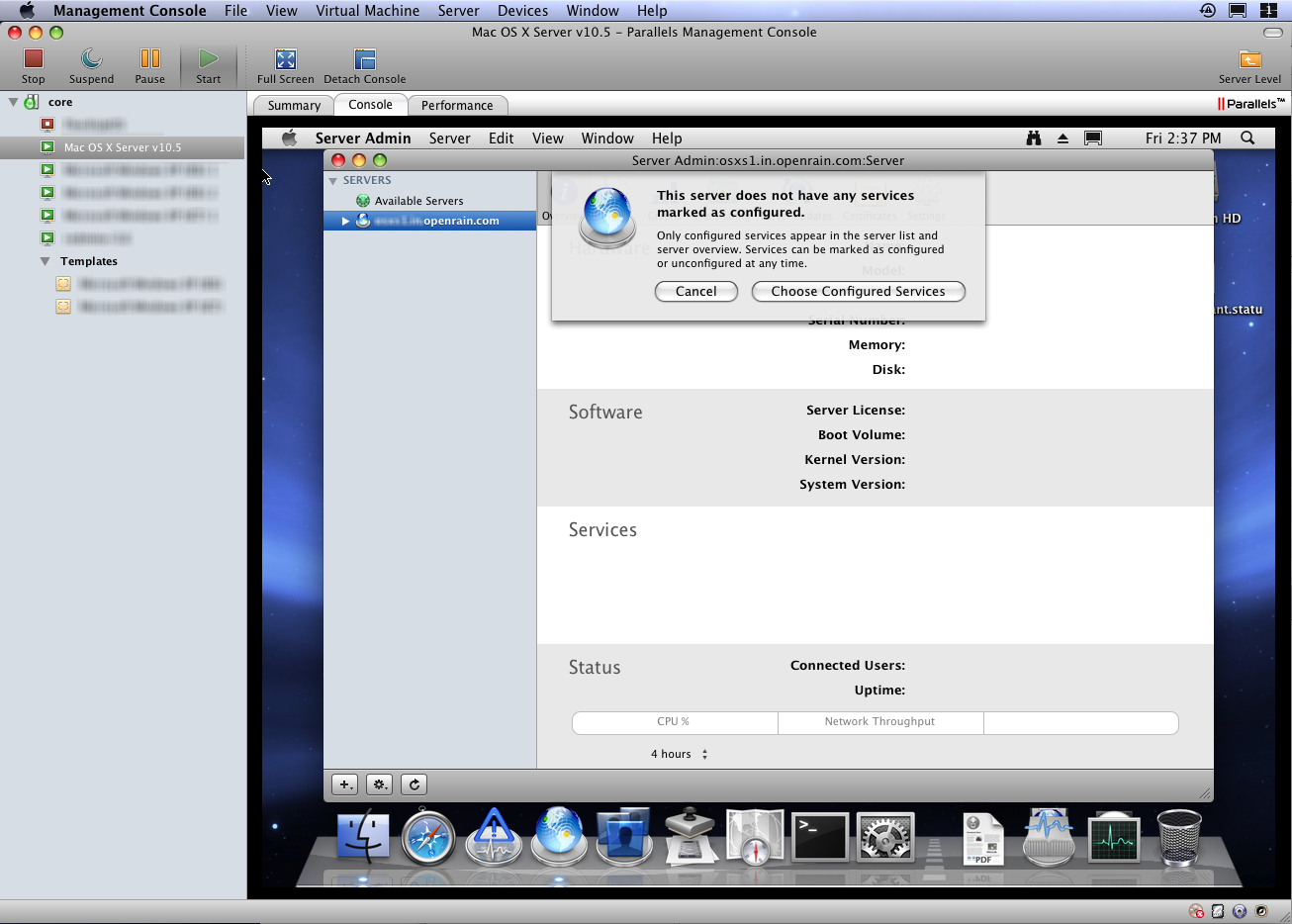
    Apple now allow you to virtualize OS X Server instances. While your virtualization options are limited, it’s very easy to set up on your existing OS X Server.

    This is an virtualized OS X Leopard Server guest running in Parallels Server on a host OS X Leopard Server. You can see that the guest system is treated similarly to other Windows and Linux VMs in the Parallels Management Console.

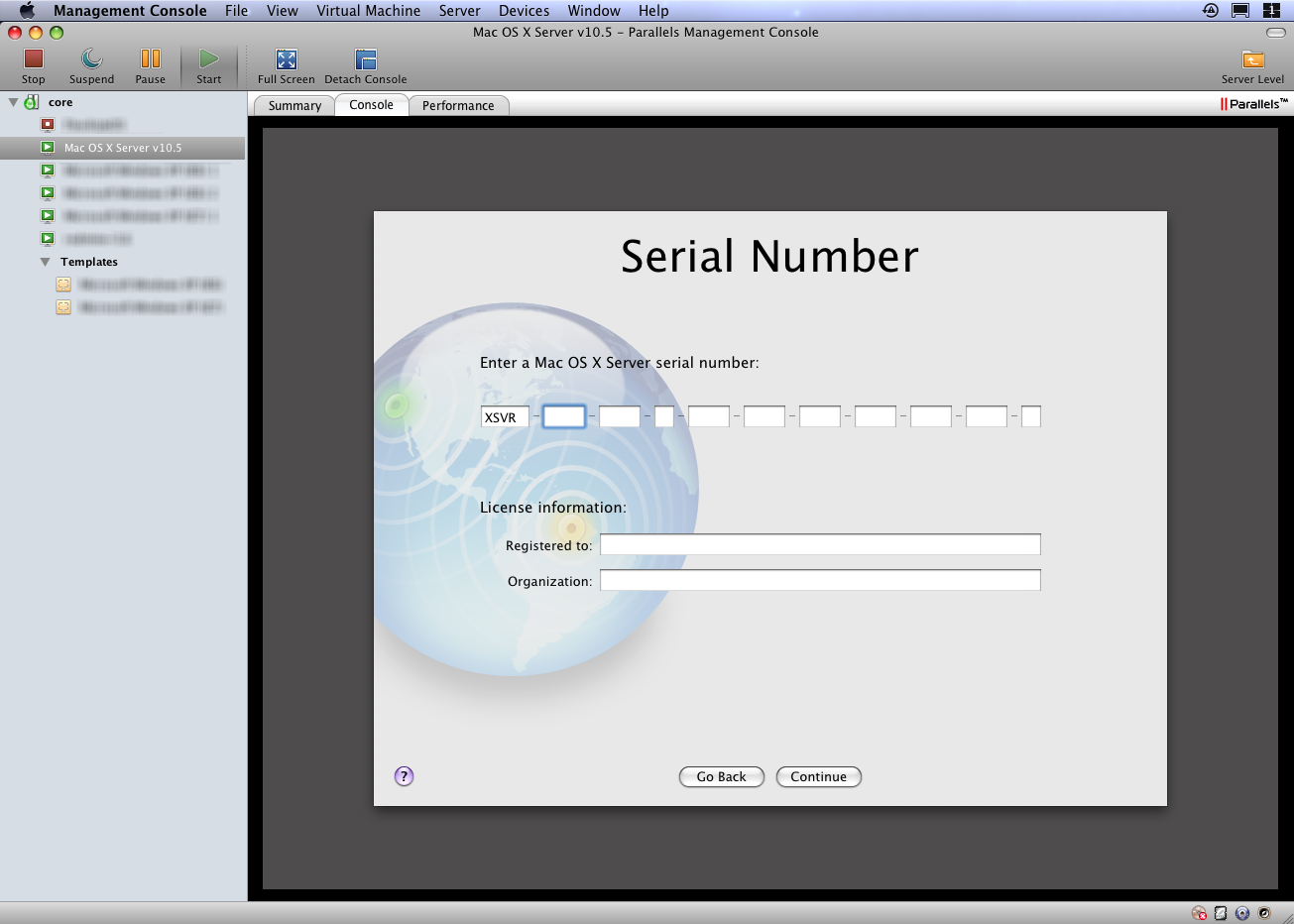
    Note that a distinct serial number/license seems to be required. The serial number for the host machine will not validate (I thought Apple was going to allow one VM instance???), so to use the sweet service configuration tools available in Server Admin, it appears you’ll need a separate license for now.


  • Hacker Shopping Cart

    My shopping cart..

    1. Energy drinks.
    2. Energy bars.
    3. Energy backups.

    Guess what I do for a living. 🙂

  • Bargain Of The Month: Apple + Adobe + HP + Crucial

    If you qualify for an educator/student discounts from the Apple store and want a new machine, check out this crazy deal which I just did at OpenRain


    1. MacBook 2.4GHz White: $1300 – $100 .edu discount = $1200.
    2. iPod Touch 8GB: $300 – $300 MIR == $0.
    3. HP Photosmart C4480 All-In-One Scanner/Printer/Copier: $100 – $100 MIR = $0.
    4. Adobe Creative Suite 3 Web Premium: $1600 – $1300 IR = $300. (OMGWTFBYOB!!!)
    5. Crucial 2 x 2GB SODIMM RAM: $100


    Total: $1600 + taxes and express shipping ~= $1800. That’s one helluva bargain for a great midrange laptop (w/4GB RAM mind you) and the powerhouse of Adobe CS3 alone. The iPod and scanner just add to the sweetness! Rock on!


  • Parallels Server Pricing: Redux

    After a few grumpy emails between myself and our Account Manager, I’m happy to report that we have purchased the GA release and it’s working well. If you are using Parallels Server for internal development purposes and not for hosting, they will extend a more reasonable price per machine: $200 + $50/year maintenance. I think that’s a very reasonable price point for our usage, and am happy to pay it.

    This likely has more to do with meeting end-of-Q2 sales quotas than attracting my dinky business, but regardless, a win is a win! Thanks!


  • Switching To Dvorak: Seven Months Later

    Today marks exactly seven months from the day I switched to the Dvorak keyboard layout.

    Key Observations

    1. 72, 81 and 77 words per minute, clocked with three different one-minute tests on TypingTest.com.
    2. In home-row-only tests I took several months ago, I was already consistently over 100 WPM. The many common home-row-only words (those spelled with A, O, E, U, I, D, H, T, N and S) are remarkably comfortable and fast to type.
    3. It’s all about muscle memory. I can type my thoughts just as well as the next guy without looking at the keyboard, but can’t recite you the upper or lower row keys by memory. Interesting, huh?
    4. The pain in my left-hand little finger tendon is gone! More of this is likely due, however, to also switching my Command and Caps Lock keys in software.

    Other Conclusions

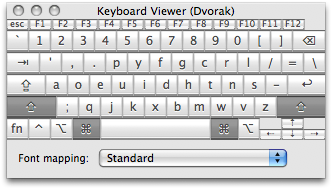
    • I’m much, much better at hunt-and pecking in Dvorak–that is, staring at a QWERTY keyboard set to Dvorak in software and “sensing” where the right key are with my pointer finger alone. (Useful when typing a few words on someone else’s box.) This is hard because of #3 above, but learnable.
    • I can now hunt-and-peck suitably on my iPhone (QWERTY only) keyboard.
    • Typing QWERTY on a Dvorak keyboard is a lost cause. I have to stare at a secondary QWERTY keyboard to do so, because my muscles and mind have totally forgotten. (Again, see #3.)
    • Typing on a laptop keyboard feels better on your finger tendons, but just as uncomfortable on your wrists.
    • Sharing windows machines with others is awkward and frustrating. Let me know if you have a good system tray applet for quick-switching the whole system to Dvorak, because team-admining a windows machine requires a hellish amount of clicks to set the system-wide keyboard layout.
    • Apple is absolutely horrid at designing with ergonomics in mind. (In their defense, they obviously aren’t trying.)
    • I haven’t discovered the mental gymnastics that allows you to type in QWERTY when necessary. I can type my name and common passwords in QWERTY, but that’s about it, sorry. No hablo QWERTY.
    • Stuff that now sucks because they are built for a QWERTY layout: emacs, vi, <your_favorite_editor>, Aperture, some Java apps. All games now require new key bindings off-the-bat too.
  • Parallels Server for Mac Pricing

    Fresh from my inbox..

    Parallels Server for Mac will be available soon. As a thank you to all participating Parallels Server for Mac Beta users, Parallels is offering an exclusive discount on a single Parallels Server for Mac license. Purchase this new software for only $700* – a 30% savings.

    Hmm… well, the product has been working fairly well for us at OpenRain, but I’m not sure $700 per major version is going to be worth it as opposed to buying another cheap Dell machine and running VMWare Server on Linux for free, which we already do in some of our hosted environments. Here’s the kicker in tiny font at the bottom of the email explaining the asterisk after “$700”..

    The limited-time discount offer is limited to a single server from May 30 – June 30, 2008. Annual maintenance is required at the time of purchase, starting at an additional $249.75 per year. For academic pricing and volume licensing, register now or contact Parallels Sales at +1 (425) 282-6400.

    So that’s $950 for the first year of our first system alone. Hmmmm… 

  • Netgear FVS114 – Worst POS SOHO Router Ever

    Some of the worst infrastructural issues OpenRain has had since inception has been border hardware. We’ve been through all typical COTS models you’d find at Best Buy, but all have had issues with at least one of..

    • Dropping inbound traffic due to some stupid “DDoS Protection” feature we couldn’t disable.
    • Not passing VPN traffic though to an internal server.
    • Crashing.

    But this latest POS–the Netgear FVS114–really takes the cake. Check it..

    1. Log in to http://www.workingwithrails.com
    2. Visit http://www.workingwithrails.com/person/new
    3. Listen for the sound of everyone simultaneously screaming “WTF!? The ‘net’s down!”

    We’ve reproduced this issue with FireFox and Safari from multiple machines inside the network. Way to go, Netgear! (Might want to get on this one.) I’ll be buying some real hardware online in about 15 minutes.


  • Leopard Server: Bonjour-Based DNS A Performance No-No

    Prior to moving into the new OpenRain office (announcement coming in June), we used OS X’s magical .local addressing to find all our servers. This allowed us to keep almost everything on DHCP, which is trivial to set up and administer. Little did we know, however, that this was being the root cause of many internal issues.

    • General network I/O performance (file server access, OpenLDAP-based logins etc.) sucked. Simply using Server Admin or Workgroup Manager across the network would often take 5+ seconds to log in.
    • Portable Home Directory (PHD) syncing, VPN and firewall services never seemed to work right, possibly due to nonequivalences between “server.example.com” and “server.local” in SSL and SSH. I’m not completely sure, but stuff broke in more ways than one.

    Case in point: do not use bonjour-based DNS for your core network services. Use a proper DNS server from the start. DNS is a cornerstone dependency of all the other services provided by your Leopard server, so any performance issues you introduce at this level will carry through to your entire infrastructure.