Debugging JavaScript With Safari
I usually use FireBug and other FireFox-based tools for troubleshooting JavaScript issues, but never found a solid way to approach it in Safari, my primary browser. It turns out that the nightly builds of WebKit (Safari’s core) also come with a great utility called Drosera.app, which allows you to attach to a running WebKit process and get funky with a JavaScript console.
Tags: apple, debugging, drosera, firefox, javascript, mac, osx, rails, ror, ruby, safari, webkit
Mac Users: Buy This Now
https://www.macheist.com/buy/invite/94211
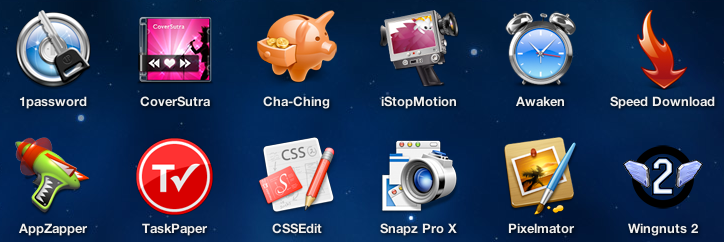
The latest MacHeist bundle: $50 for 12 apps, the most notable being Pixelmator, CSSEdit and Snapz Pro X. I picked up the 3-pack bundle for $100 and a total of 36 license key. 4 days left. w00ties!
Tags: apple, command, mac, macheist, news, opinion
Writing Good Error Messages
I received this little note from my Mac today.

This made me feel all warm and fuzzy inside despite the interruption of my work because it satisfies my general criteria for displaying error messages to users.
- A graphical severity indicator is given so I know whether or not to care.
- It provides a succinct, human-readable desciption of the issue. (No “ERROR CODE: 23DD8″ crap which is meaningless to the user.)
- An immediate, resolvable course of action is given to the user. Providing this makes the user feel empowered and accomplished for acting. Neglecting this makes the user concerned and irritated.
- A description of future symptoms is given for when/if the user does not take the suggested course of action. This gives the user reason to do what you’re asking.
- It shut up about the issue when I clicked OK and let the failure happen like it told me it would. When I noticed my mouse wasn’t responding I immediately remembered why.
The dialog is in stark contrast to this nifty gem constantly pooping out of my Solaris kernel..
“Pin widgit 27 is EAPD capable.”
WTF??? What the heck is a “pin widgit” and why do I care if it’s “EAPD capable”? Is this even a bad thing? Do I need to do something here? What happens if I ignore this, which I most definitely will since I have clue what it’s talking about? Why does it tell me this every time I start the machine?
Criteria failure on all counts. Bad computer!
Tags: apple, mac, methodology, osx, solaris, usability
Xserve w/Leopard Server (Mac OS X 10.5), First Impressions
We just picked up a refurbished 2.66GHz quad-core Xeon from Apple, which we’ll be using for internal infrastructure. (We’re in the process of migrating from a mix of Solaris and Linux). After about 8 hours of learning the ins and outs of Leopard Server over the weekend, we had the box running Open Directory (Kerberos and OpenLDAP), DNS, AFP, SMB, FTP, domain account and machine management, mobile home directories, MySQL, Software Update, Xgrid controller, Wikis, Blogs, iCal and VPN services, all tightly integrated with single sign-on (via Kerberos) into a sexy 1U package.
- Xserve (refurbished discount, direct from Apple): ~$3K
- 3 x 750GB Disks (Newegg): ~$450
- 2 x Apple Drive Module (direct from Apple): ~$380
- 2 x 2GB FB-DIMM RAM (Crucial): ~$300
- Infrastructural sanity: priceless. (…or ~$4.5K after tax and random small stuff)
That’s some serious value considering how much of a PITA setting all this up can be in Linux (or whatever) without vendor support, and far cheaper than paying a Systems Administrator in the long run. The Server Admin and Workgroup Manager tools are pretty freakin’ usable, too, relative to the internal complexity of the system. I’m a happy camper for now… let’s see if it lasts.
Tags: apple, expensive, leopard, mac, openldap, openrain, opinion, review, server, solaris, xserve
Switching To Dvorak

After years of deliberation, I’m finally taking this Thanksgiving break to switch to the Dvorak keyboard layout. It’s been frustrating, yes, but I believe my wrists will be much better off with the change. Within a couple hours of switching I’m probably crawling at ~15 words per minute, which is faster than I expected. Stuff that still throws me off due to being permanently etched in muscle memory..
- My name.
- `cd` and my custom `ls` aliases.
- OpenRain.
- . (period)
- Common commands such as cut/copy/paste, closing and opening files etc.
- The letter ‘o’ for some reason.
Ohh, and I switched my command and caps lock keys too, so my brain is a tad bit overloaded at the moment :)
Tags: dvorak, ergonomics, keyboard, mac, openrain, qwerty, usability


