Switching To Dvorak: Seven Months Later
Today marks exactly seven months from the day I switched to the Dvorak keyboard layout.
Key Observations
- 72, 81 and 77 words per minute, clocked with three different one-minute tests on TypingTest.com.
- In home-row-only tests I took several months ago, I was already consistently over 100 WPM. The many common home-row-only words (those spelled with A, O, E, U, I, D, H, T, N and S) are remarkably comfortable and fast to type.
- It’s all about muscle memory. I can type my thoughts just as well as the next guy without looking at the keyboard, but can’t recite you the upper or lower row keys by memory. Interesting, huh?
- The pain in my left-hand little finger tendon is gone! More of this is likely due, however, to also switching my Command and Caps Lock keys in software.
Other Conclusions
- I’m much, much better at hunt-and pecking in Dvorak–that is, staring at a QWERTY keyboard set to Dvorak in software and “sensing” where the right key are with my pointer finger alone. (Useful when typing a few words on someone else’s box.) This is hard because of #3 above, but learnable.
- I can now hunt-and-peck suitably on my iPhone (QWERTY only) keyboard.
- Typing QWERTY on a Dvorak keyboard is a lost cause. I have to stare at a secondary QWERTY keyboard to do so, because my muscles and mind have totally forgotten. (Again, see #3.)
- Typing on a laptop keyboard feels better on your finger tendons, but just as uncomfortable on your wrists.
- Sharing windows machines with others is awkward and frustrating. Let me know if you have a good system tray applet for quick-switching the whole system to Dvorak, because team-admining a windows machine requires a hellish amount of clicks to set the system-wide keyboard layout.
- Apple is absolutely horrid at designing with ergonomics in mind. (In their defense, they obviously aren’t trying.)
- I haven’t discovered the mental gymnastics that allows you to type in QWERTY when necessary. I can type my name and common passwords in QWERTY, but that’s about it, sorry. No hablo QWERTY.
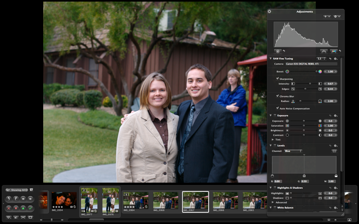
- Stuff that now sucks because they are built for a QWERTY layout: emacs, vi, <your_favorite_editor>, Aperture, some Java apps. All games now require new key bindings off-the-bat too.
Tags: apple, dvorak, typing, windows
Parallels Server for Mac Pricing
Fresh from my inbox..
Parallels Server for Mac will be available soon. As a thank you to all participating Parallels Server for Mac Beta users, Parallels is offering an exclusive discount on a single Parallels Server for Mac license. Purchase this new software for only $700* - a 30% savings.
Hmm… well, the product has been working fairly well for us at OpenRain, but I’m not sure $700 per major version is going to be worth it as opposed to buying another cheap Dell machine and running VMWare Server on Linux for free, which we already do in some of our hosted environments. Here’s the kicker in tiny font at the bottom of the email explaining the asterisk after “$700″..
* The limited-time discount offer is limited to a single server from May 30 - June 30, 2008. Annual maintenance is required at the time of purchase, starting at an additional $249.75 per year. For academic pricing and volume licensing, register now or contact Parallels Sales at +1 (425) 282-6400.
So that’s $950 for the first year of our first system alone. Hmmmm…
Tags: apple, mac, openrain, parallels, server, virtualization
Leopard Server: Bonjour-Based DNS A Performance No-No
Prior to moving into the new OpenRain office (announcement coming in June), we used OS X’s magical .local addressing to find all our servers. This allowed us to keep almost everything on DHCP, which is trivial to set up and administer. Little did we know, however, that this was being the root cause of many internal issues.
- General network I/O performance (file server access, OpenLDAP-based logins etc.) sucked. Simply using Server Admin or Workgroup Manager across the network would often take 5+ seconds to log in.
- Portable Home Directory (PHD) syncing, VPN and firewall services never seemed to work right, possibly due to nonequivalences between “server.example.com” and “server.local” in SSL and SSH. I’m not completely sure, but stuff broke in more ways than one.
Case in point: do not use bonjour-based DNS for your core network services. Use a proper DNS server from the start. DNS is a cornerstone dependency of all the other services provided by your Leopard server, so any performance issues you introduce at this level will carry through to your entire infrastructure.
Tags: apple, bonjour, dns, infrastructure, mac, network, performance, sucks
Five Major Apple Design Irritants
Apple,
My software development firm–OpenRain in Arizona–spends buckets of money on your products. Stuff works pretty well in general, but you really need to address these issues. Really.
- PowerBook, MacBook and MacBook Pro power supply cables invariably rip. Not only that, but it’s always at the same freaking places. The MackBook/Pro power supplies are better than the PowerBook ones, but still don’t last more than a couple years of real-world use. The issue is at the endpoints of the laptop end of the cable that get bent constantly from travel and being wrapped sharply when the electric outlet is on the wrong side of the laptop. I really love the small and agile design, but the cables need to last at least 4 years without tearing.
- Laptops still run hot. Phoenix summer get hotter than 110 degrees Fahrenheit, and I have gotten physically burned by the MacBook Pros when wearing shorts. Product such as the iLap are amusing, but should not be necessary. Getting physically hurt by a computer is a problem.
- Keyboard are not ergonomic. The latest iteration of post-modern laptop-style bluetooth keyboards are great to look at, but absolutely horrid on the wrists. No one at the office really likes them in practice, and we’ve had to revert to the Microsoft Natural series of keyboards when have been around f-o-r-e-v-a-r but Apple hasn’t responded to. I’m 100% confident you could build a swanky, highly usable bluetooth keyboard that puts the Naturals to shame.
- iPhone copy/paste support. It’ll be an awesome design accomplishment when we no longer need this, but you haven’t gotten there yet, sorry, and everyone else agrees. Add copy/paste support (if only in key areas) to iPhone.
- iPhone needs to support dvorak. Yeah yeah…. I know I’m in the minority on this and am sneaking it in, but I spend a lot of money with you guys, and having to use QWERTY just for the iPhone is driving me insane. Add the freaking layout please.
Tags: apple, dvorak, iphone, mac, opinion, rant
New MacBook Pro Battery
The stock battery on my 1st-generation MacBook Pro has only been providing an hour of power as of late. When I hot-swapped in a fully charged new battery from my local Apple store, I was thrilled with the estimated remaining charge..
I highly doubt it will actually last this long, but one can dream. :)
Tags: apple